ORPHEUS Update 3.2.0 is Here
Nils Schweingruber
CEO, IDM gGmbH
ORPHEUS 3.2.0 has been available for download since February 28, 2026. Four new features that noticeably simplify clinical documentation workflows.
Templates: Turning Free Dictation into Structured Documents
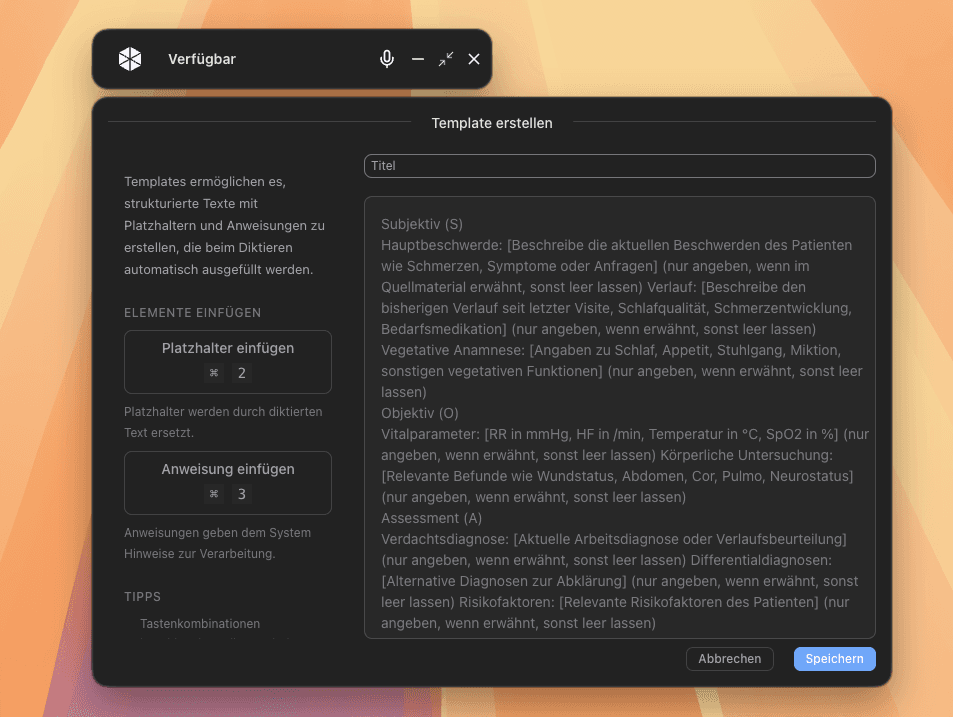
The centerpiece of this update. Templates are structured document templates with placeholders and instructions — such as [Diagnosis], [Finding], or targeted instructions to the AI in parentheses.
How it works: You dictate freely as usual. ORPHEUS analyzes your transcript using AI and automatically fills in the defined fields in the template. The result: a finished, structured document. No copy-paste. No reformatting.
Templates can be individually created and managed in the ORPHEUS settings. From practice: formulate placeholders as descriptively as possible — the AI assigns content better when the field labels are clearer. The generated result can be edited at any time in the editor.
Vocabulary: Your Terms, Your Spelling
Technical terms, proper names, or special spellings being transcribed incorrectly? With the new vocabulary feature, you define the desired spelling. ORPHEUS automatically considers it in every transcription.
Two ways to add:
- Via the sidebar in settings
- Directly from the editor: select word → right-click → "Add to vocabulary"
This creates a customized dictionary that continuously improves recognition accuracy.
Text Snippets with Jump Marks
You already know text snippets: predefined text templates activated by voice command. With 3.2.0, jump marks are added — placeholders within templates that you can navigate to directly while dictating.
A typical workflow:
- Start recording, say "text snippet ECG report"
- ORPHEUS inserts the snippet into the editor
- Cursor automatically jumps to the first jump mark, e.g.,
[[Diagnosis]] - Dictate content, press right arrow key (or fast-forward on SpeechMike)
- Continue to next jump mark
[[Finding]]
Jump marks can also be configured with selection options, e.g., [[cCT|MRI]], to suggest frequently used alternatives directly. Navigation works via keyboard and SpeechMike.
English Speech Recognition
ORPHEUS now understands English as well. The transcription language can be switched in the general settings.
All Features at a Glance
- Templates / Ambient: Structured document templates with AI-powered field completion
- Vocabulary: Technical terms and proper names for higher transcription accuracy
- Text Snippets with Jump Marks: Navigate between placeholders and fill them in
- English Speech Recognition: Transcription now also available in English
Questions about ORPHEUS? Our support team is here to help: helpdesk.service.idmedizin.de